

Development vs Production
We handle development and production environments at the credential level. We will issue you with a set of dashboard and API credentials you can use for development purposes during your trial / onboarding phase. When you’re ready to move to production, please contact us, and we will issue you a set of production credentials.Dashboard
Log in to the Heron dashboard using the credentials you were issued. From Settings → API Credentials, you can manage the API keys used to authenticate against the Heron API. If you haven’t received access, please speak to your Heron rep, or email us at [email protected]. To reset your password, go to the dashboard login page and follow the “Forgot password?” flow.API keys
You can create, list, deactivate, reactivate, and delete API keys from Settings → API Credentials in the dashboard.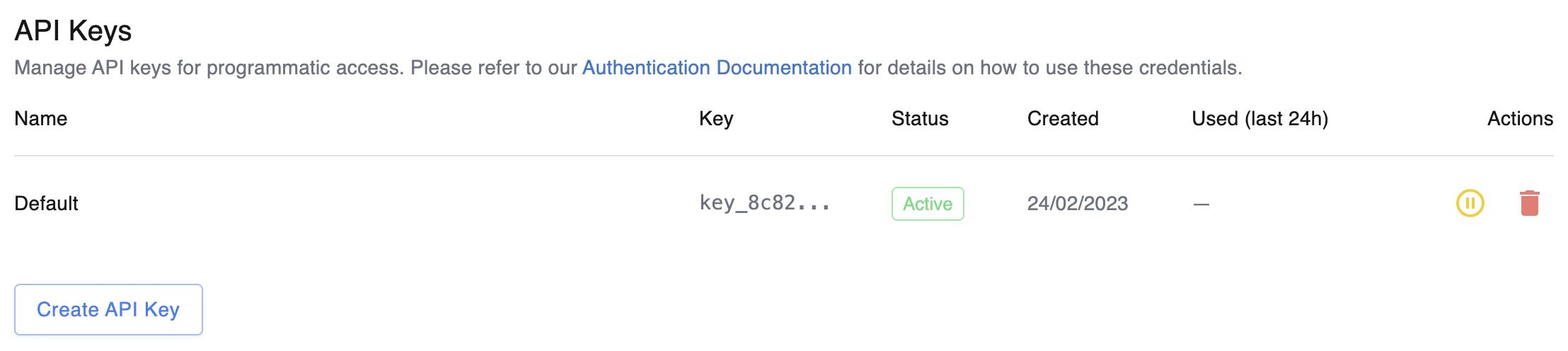
API key management in the dashboard
Creating a key
Click Create API key, give it a descriptive name (e.g.CI pipeline, Production service), and copy the token from the dialog that appears.
After the dialog closes, only the first 8 characters of the token (the prefix) are visible — enough to identify which key is which, but not enough to authenticate with.
Deactivating and reactivating
Deactivating a key takes effect immediately — requests using a deactivated key are rejected with a 401. Reactivating restores access. Use deactivation when you suspect a key may be compromised but aren’t ready to delete it (e.g. to confirm the key is no longer in use). Deleting a key is irreversible.Rotation
A typical rotation flow:- Create a new key with a descriptive name.
- Deploy the new key to the systems that use it.
- Once the new key is in use, deactivate the old one and confirm nothing breaks.
- Delete the old key.
Authenticating with a key
Send the API key in thex-api-key HTTP header. This works against every authenticated endpoint.
key_ followed by 48 hex characters.