You keep your contract
Experian continues to bill you.
Heron acts as your agent
Heron pulls consumer credit on your behalf.
Credit lands in your deals
Each owner’s report is now usable in policies and for easy review.
What you’ll need
- An Experian contract
- The name and email of your Experian sales rep
- Someone who has the authority to sign the addendum
Timeline
Most customers are live about 3 to 4 weeks after the addendum is signed.Day 1: Request setup
Let us know you’d like to connect, in Heron or by email.
Weeks 0–3: Sign the addendum
Heron kicks off the review with your contacts. Once signed, Experian issues your subcodes.
Week 3: Connect UAT
You add your test details, and Heron runs a test pull.
Weeks 3–4: Go live
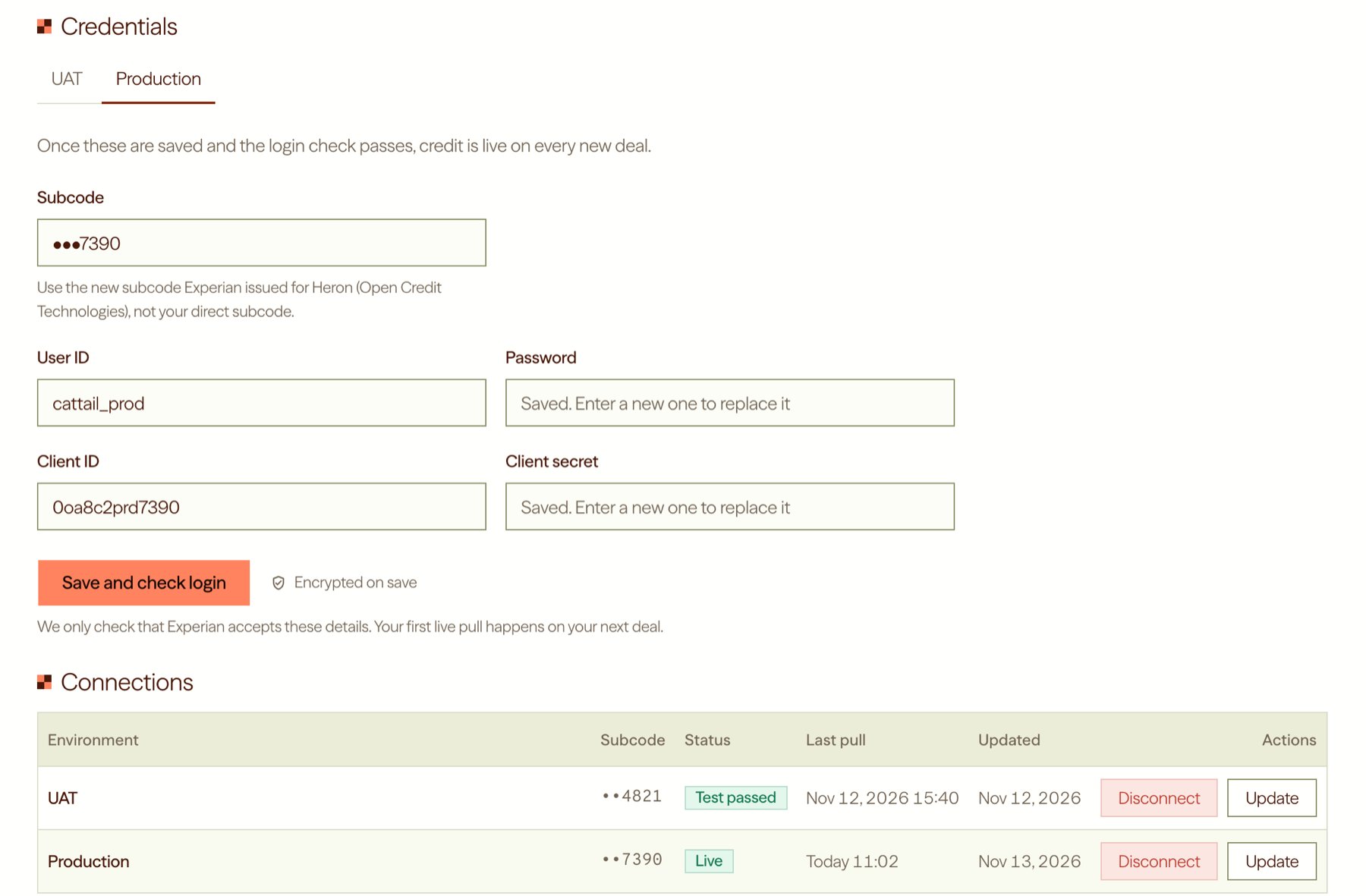
You add your production details, and Heron checks the login.
The addendum sets the pace. Experian can start issuing your subcodes once everyone has signed, so it helps to share it with your legal team early.
Steps
1
Request setup
Go to Settings › Integrations, click Add integration and choose Experian Connector. Add your sales rep’s details, then click Request set up. You can also email us at [email protected].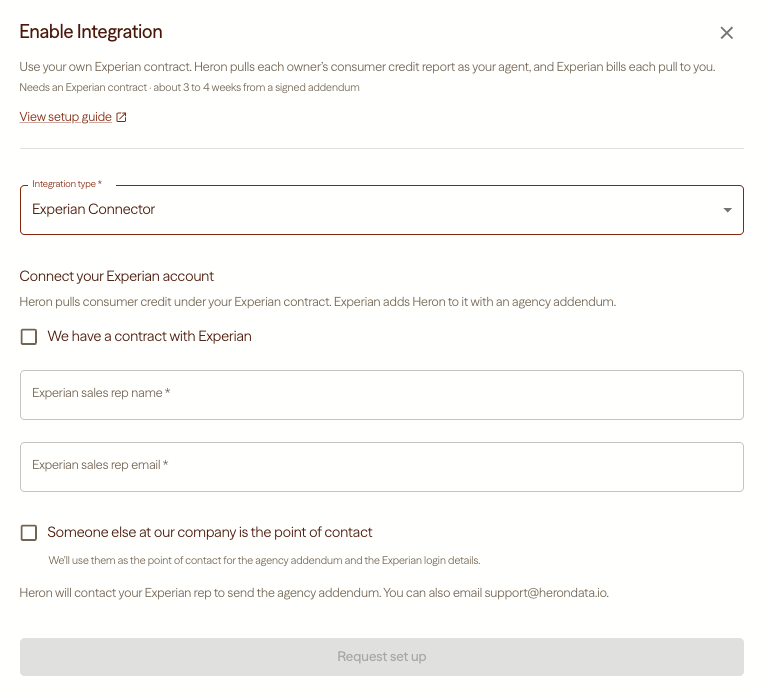
2
Review and sign the addendum
Heron will start a conversation with the Experian representatives and points of contact you provided to kick off the addendum review. Once you, Experian and Heron have all signed, Experian issues two new subcodes, one for testing (UAT) and one for production. This usually takes 2 to 3 weeks. For each subcode, Experian emails you a client ID and secret, plus a link to set your user ID and password.
3
Connect UAT
Click View on the Experian Connector row. On the UAT tab, enter your five values and click Save and run test pull. Heron runs the test on Experian’s test consumers, so no real person’s credit is pulled.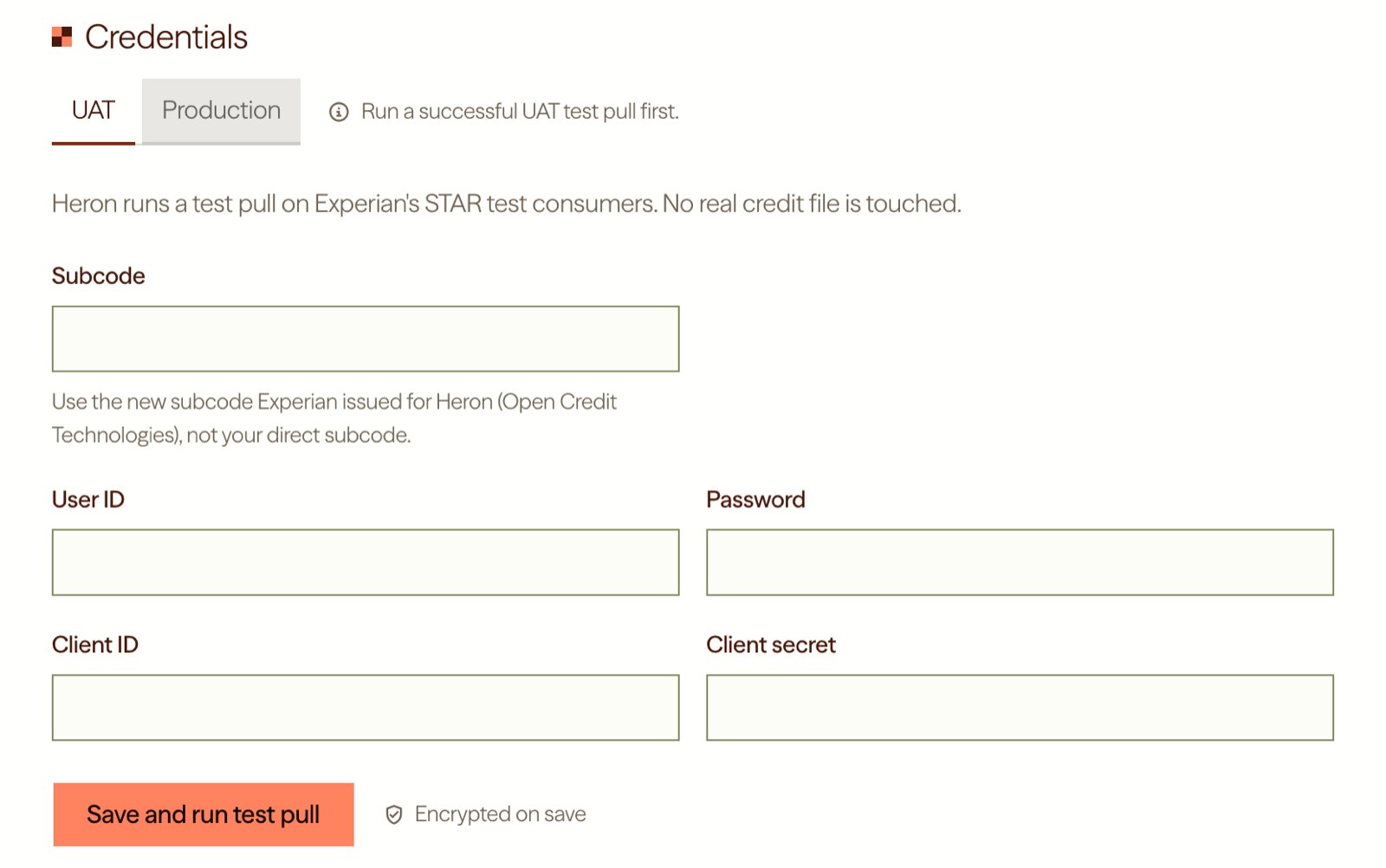
4
Connect production and go live
Once the UAT test passes, the Production tab opens. Enter the same five values with your production subcode, then click Save and check login. Your first live pull will run on your next deal.