Prerequisites
Before following this guide, you will need:- Access to dashboard.herondata.io via your
usernameandpassword - Your user
api_keyto call the Heron API - The email address of the broker you want to grant API access to
How Broker API Keys Work
Broker API keys establish a secure, one-to-one connection between a specific broker and your funder account.- Keys are tied to the broker’s email domain
- Brokers use these keys to authenticate when creating submissions
- You maintain full control over which brokers have API access
Generate a Broker API Key
To create a new API key for a broker partner you’ll need to provide their email address. The broker is identified by their email domain so the domain must already correspond to an existing broker in the system. If the broker exists but isn’t yet linked to your funder account the broker-funder relationship will be created automatically.app.py
After generating the API key, securely share it with your broker partner. They will use this key to authenticate all API requests when creating submissions on your behalf.
Error Responses
When generating API keys, you may encounter these errors:- 404: Broker with the specified email domain does not exist in the system
- 409: An API key already exists for this broker email.
List All Broker API Keys
You can retrieve all broker API keys associated with your funder account to see which brokers currently have API access:app.py
Delete a Broker API Key
To revoke a broker’s API access, delete their API key using thebroker_funder_api_key_heron_id you’ve received from the GET API keys endpoint.
app.py
Once deleted, the broker will immediately lose access to submit applications using that API key. Any in-flight requests using the deleted key will fail with an authentication error.
Error Responses
- 404: API key not found (may have already been deleted or invalid ID)
- 403: You do not have permission to delete this API key
Managing Broker Access via Dashboard
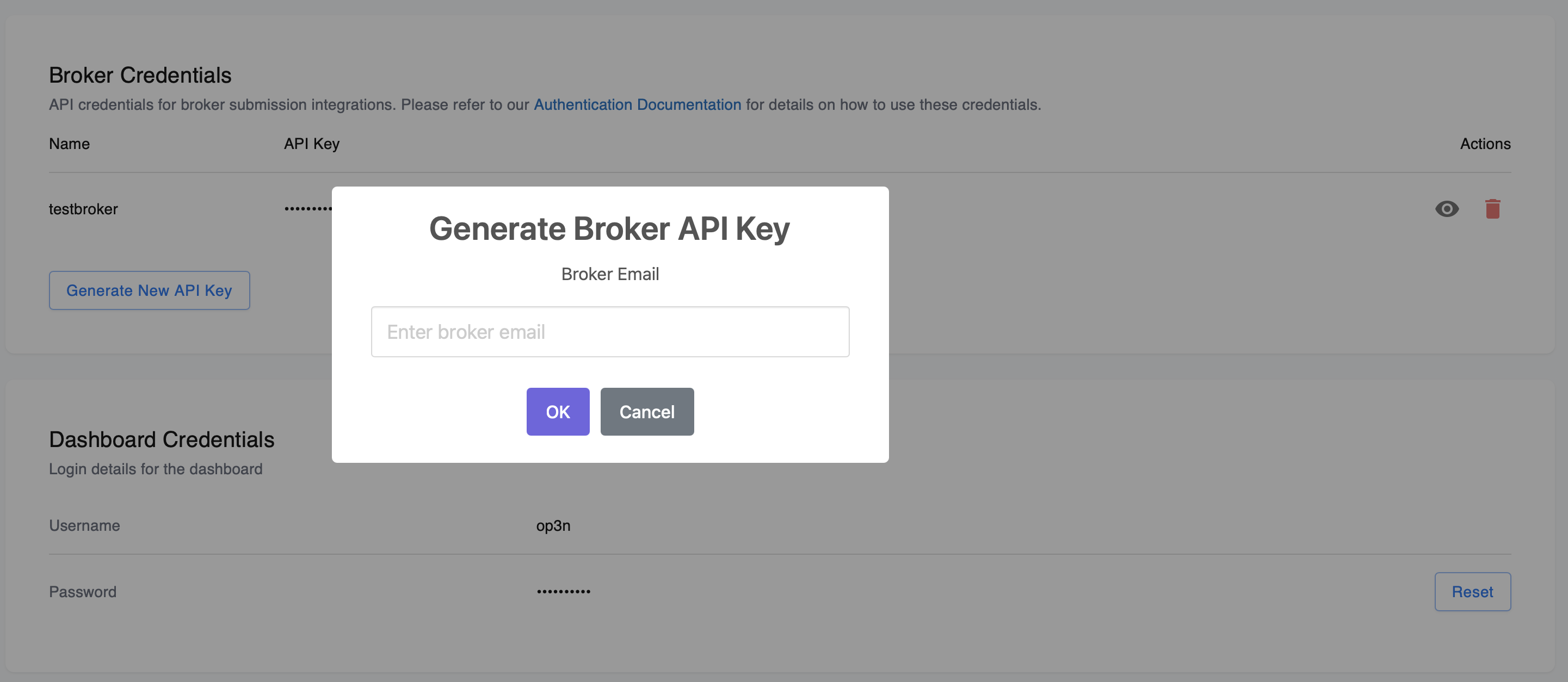
In addition to the API, you can also manage broker API keys through the Heron Dashboard:- Log in to dashboard.herondata.io
- Navigate to Settings on the sidebar menu
- Scroll to the Broker Credentials section
-
Here you can view all active broker API keys, generate new keys, and revoke existing ones